
Save the recipe.
Skip the life story.
Share a recipe page to MyRecipePal and it keeps the ingredients and the method. Then put it on this week’s plan and turn the plan into a shopping list.
Free to download. iPhone version coming soon.
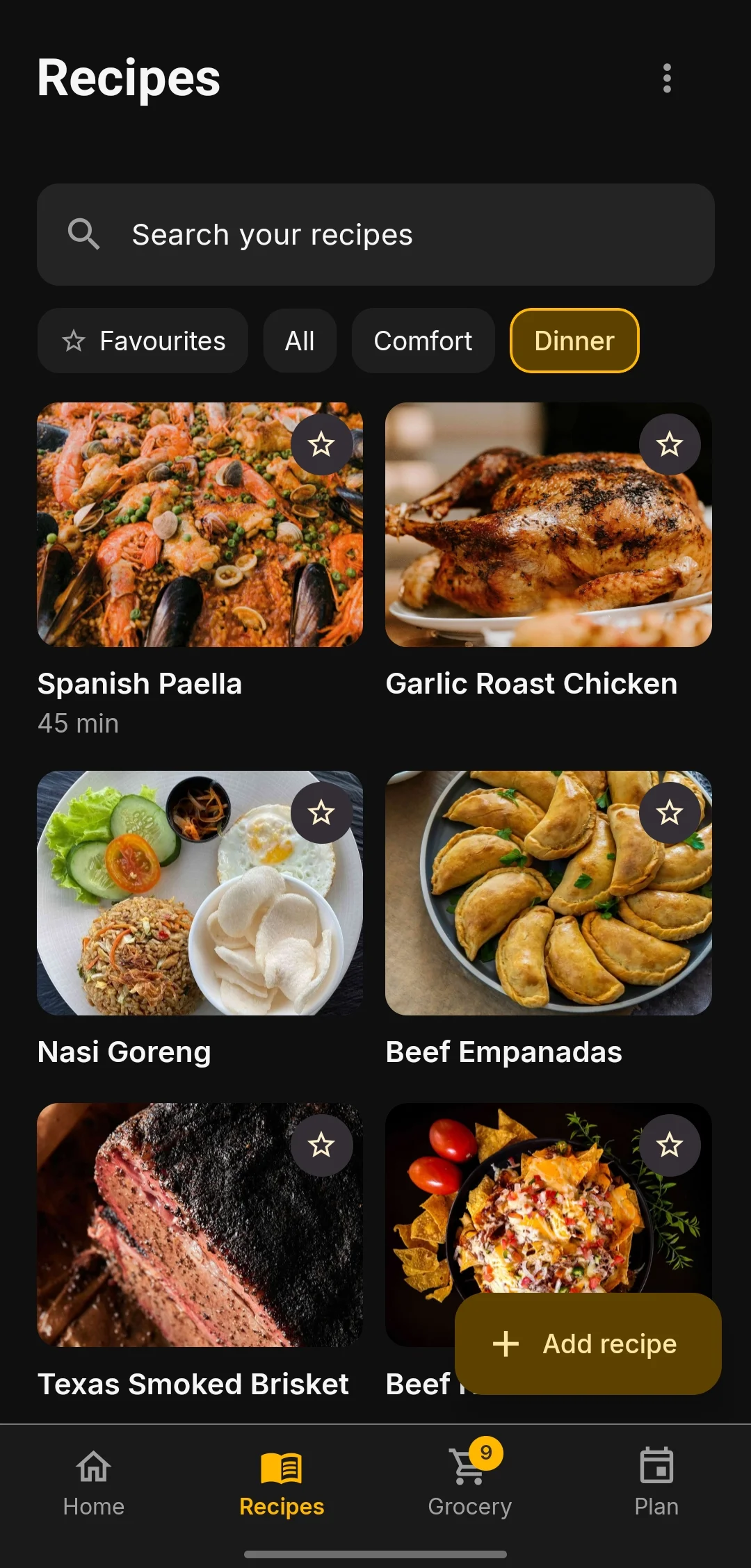
Four ways to add a recipe
Recipes end up in browser tabs, screenshots and cookbooks. Here’s how to get them all into one place.
- From a website
- Share the page from your browser, or paste the link. You get the ingredients and the method, without the ads and the long intro. Section headers like "For the sauce" come through too.
- From a photo
- Take a photo of a cookbook page, or pick a screenshot from your gallery.
- From text
- Paste a recipe someone sent you in an email or a message, and it gets split into ingredients and steps.
- By hand
- Type it in yourself. Handy for the family recipe that only exists in your head.
Plan the week, then shop once
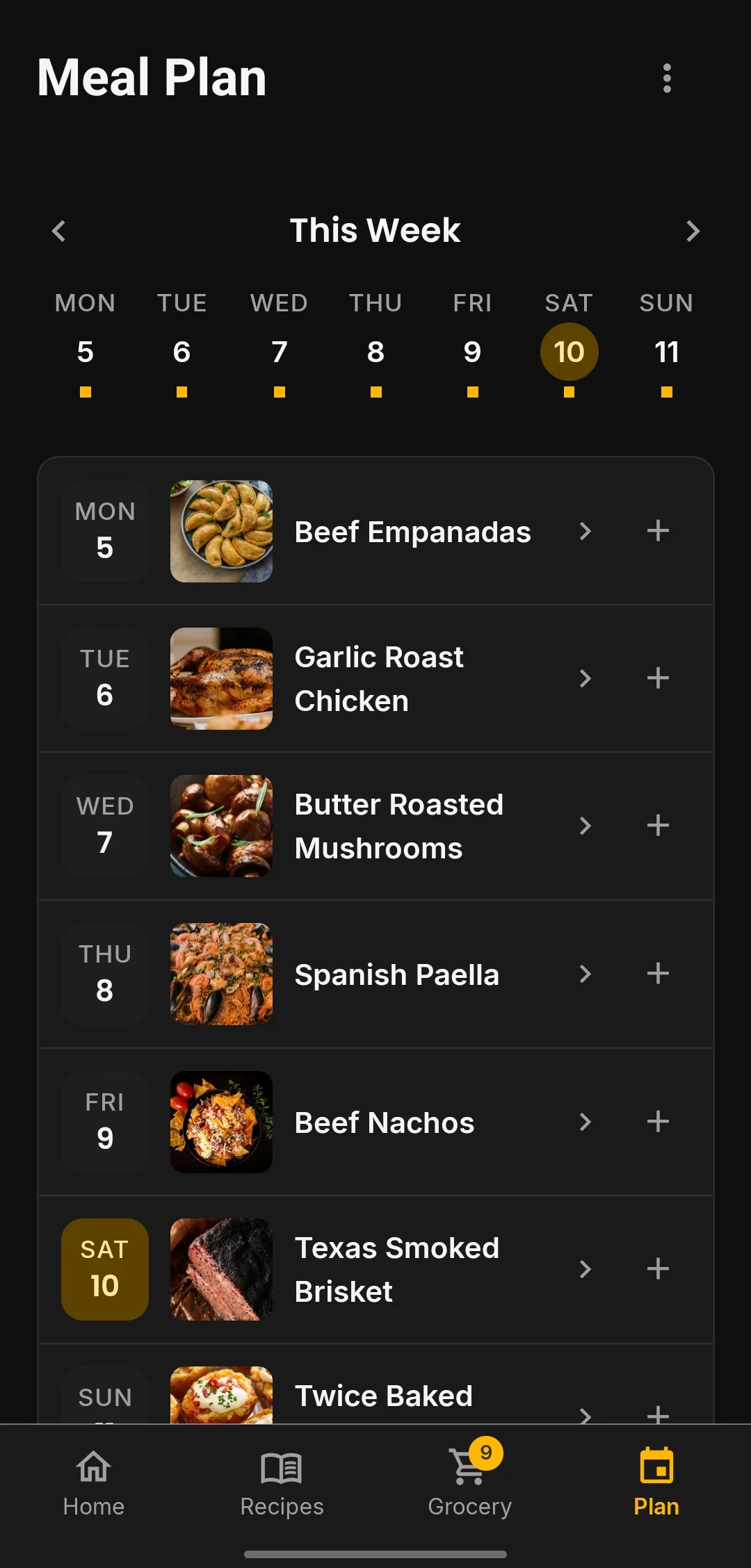
Pick a recipe for each night you’re cooking. When you’re happy with the week, send the ingredients to your shopping list.
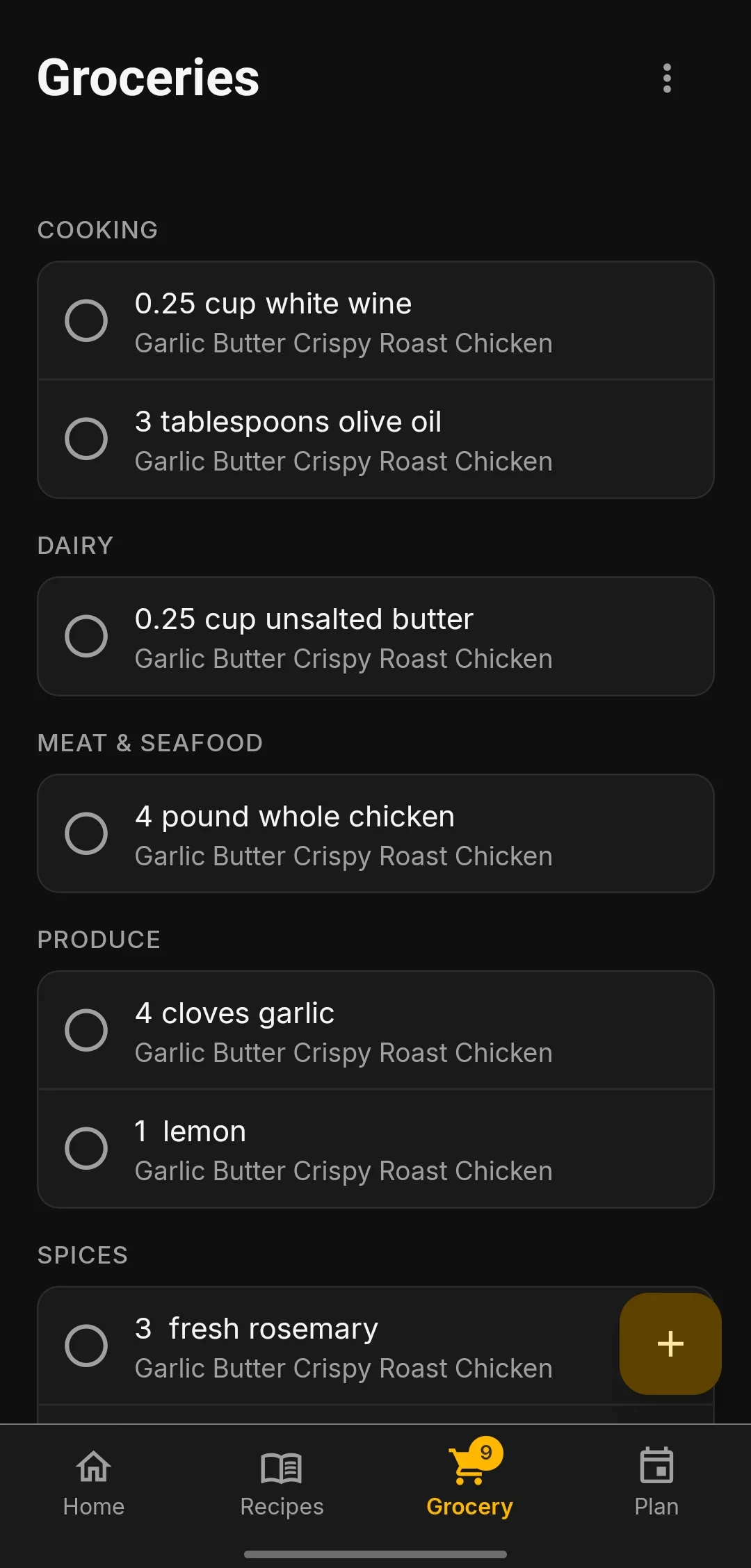
The list is grouped by aisle (produce, dairy, meat and seafood), so you’re not walking back across the shop for the butter. You can keep separate lists for different shops, and add anything that isn’t from a recipe.
Cooking Mode
Tap Start Cooking and the recipe turns into a full-screen guide, one step at a time. Swipe to move on.
- Timers from the recipe itself. If a step says “simmer for 10 minutes”, there’s a 10-minute timer button right there.
- More than one at a time. Rice on one timer, chicken on another. They keep counting if you switch apps or lock your phone, and the alarm still goes off.
- Read aloud. Tap once to hear the current step, so you don’t have to touch the screen with sticky hands.
- Ingredient checklist. Tick things off as they go into the pot.
- Converter and calculator. For when the recipe is in cups and you think in grams, or you’re making one and a half batches.
Where AI helps
A few features use AI. Treat what they give you as suggestions and estimates, and check them before you cook.
- Scan Dish
- Photograph a meal you liked and get a recipe to recreate it.
- Cook from What I Have
- Photograph your fridge or pantry. Recipes you’ve already saved that fit come up first, then new ideas.
- Inspire Me
- Search for a dish and have a recipe written for it.
- Variations
- Ask for a different take on a recipe you’ve saved.
- Nutrition
- Estimated calories and macros per serving.
The free version includes some AI credits every month, and a subscription gives you a lot more. Typing in recipes, meal planning, shopping lists and Cooking Mode never use credits.
Free on Android
On iPhone? Send us a note and we’ll tell you when it’s out.